Trim
An experiment in bringing the analog world to a workout tracker.
- Platform
- iPhone
- Stack
- Expo, React Native, SQLite, Claude Haiku
- Status
- Coming soon
01Problem
Every workout app looks the same.
My first version of Trim was a clean, minimal workout app, and then I realized it was just the same as all the other ones. But a workout is analog - you move things around, you touch them, so why should the app on your phone feel like a spreadsheet?
02Idea
I wanted it to feel like a tool from the gym.
As a bodybuilder you're moving heavy objects around and touching things all the time. It's kind of rough. So why would you want such a fine, filigree interface that's super clean and neat? Something rugged fits better, more like a machine, so Trim started as an experiment in product design.
03Features
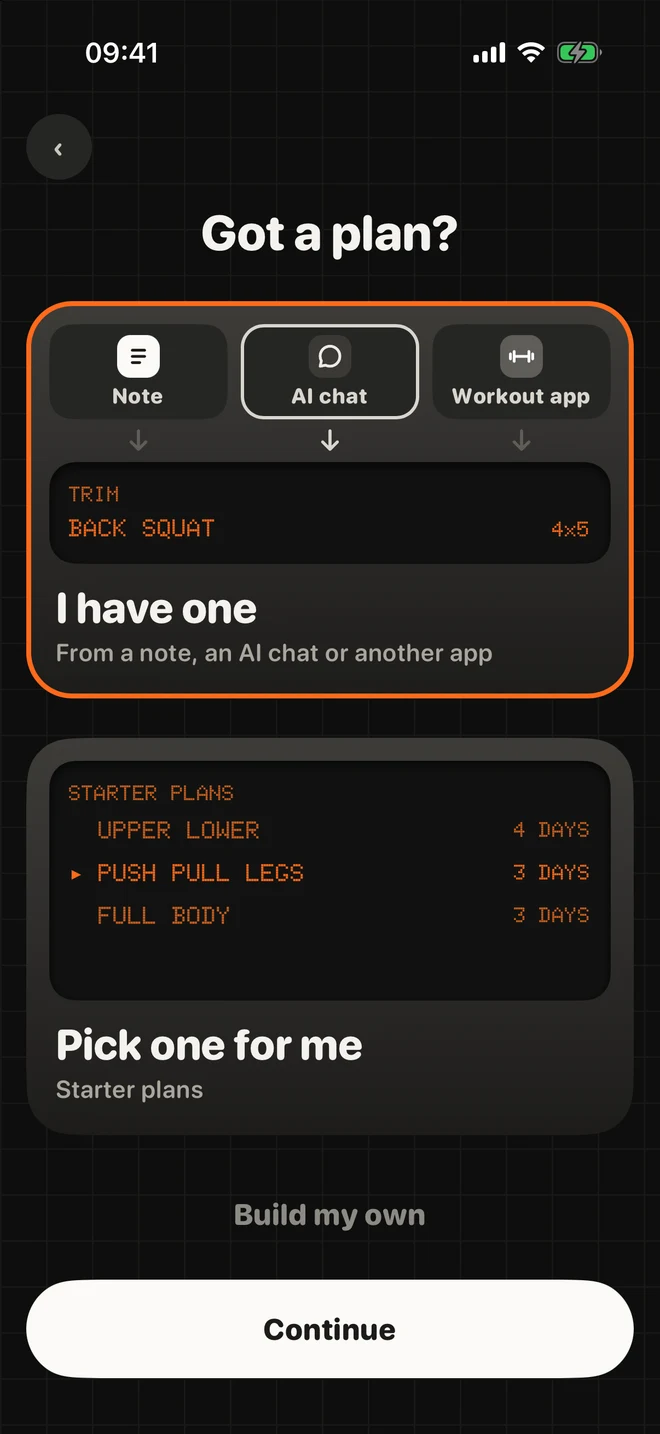
You can bring your plan from anywhere.
Paste a screenshot from ChatGPT or your old workout app, or paste your notes as text. If you don't have a plan yet, pick one of six starter plans or build your own.
03Features
Logging only shows what's next.
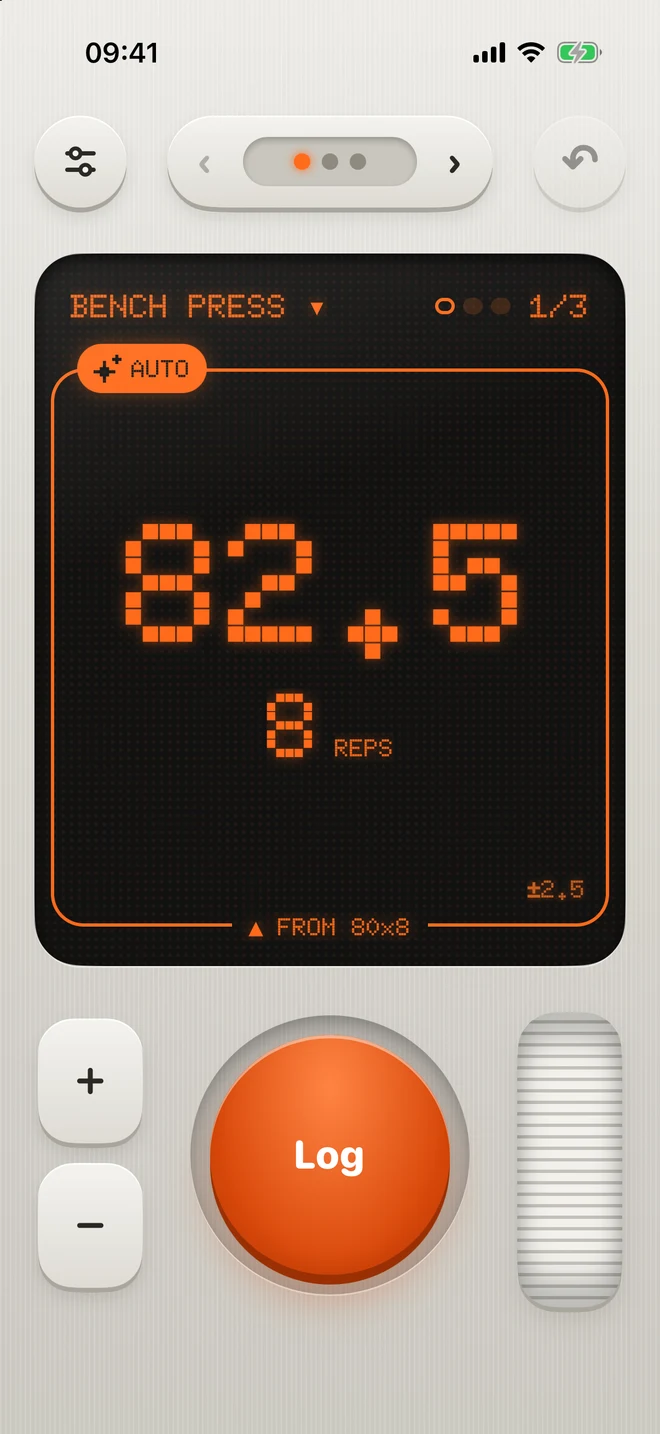
Start, log, rest. With Auto mode on, Trim already set the weight for your next set and tells you why.
Log 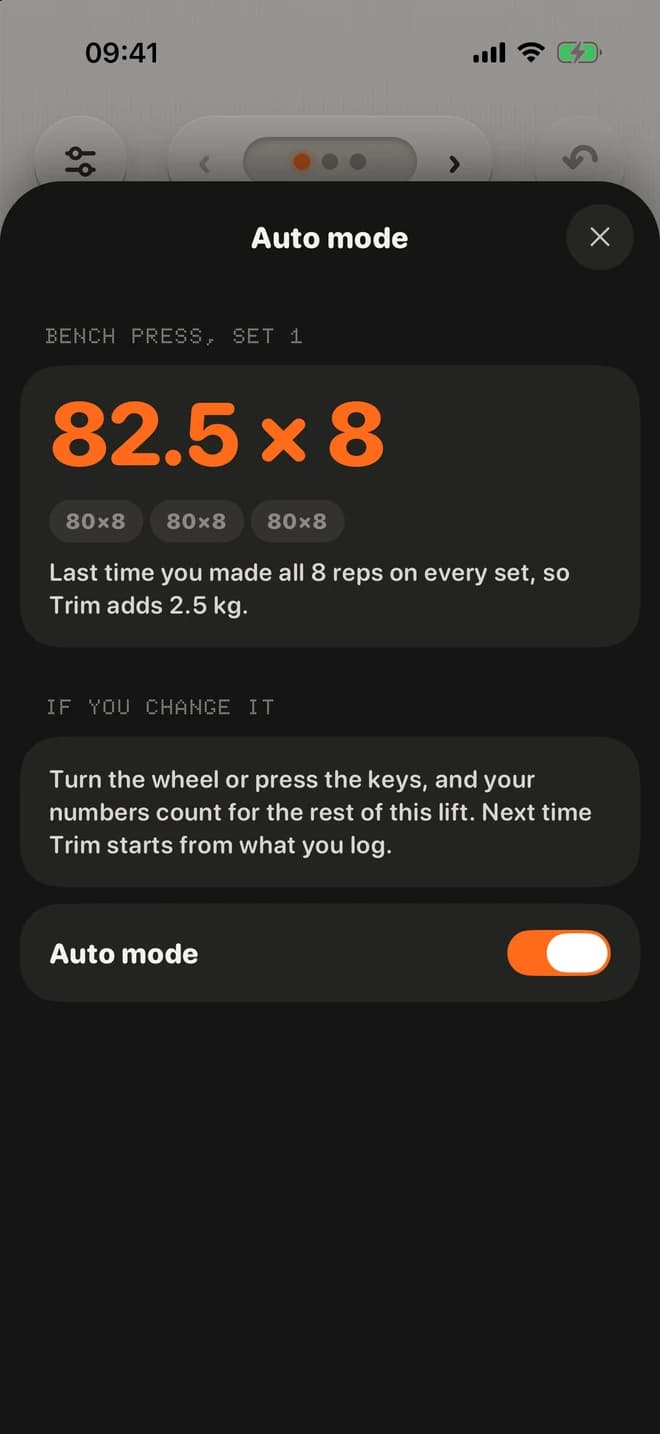
Auto 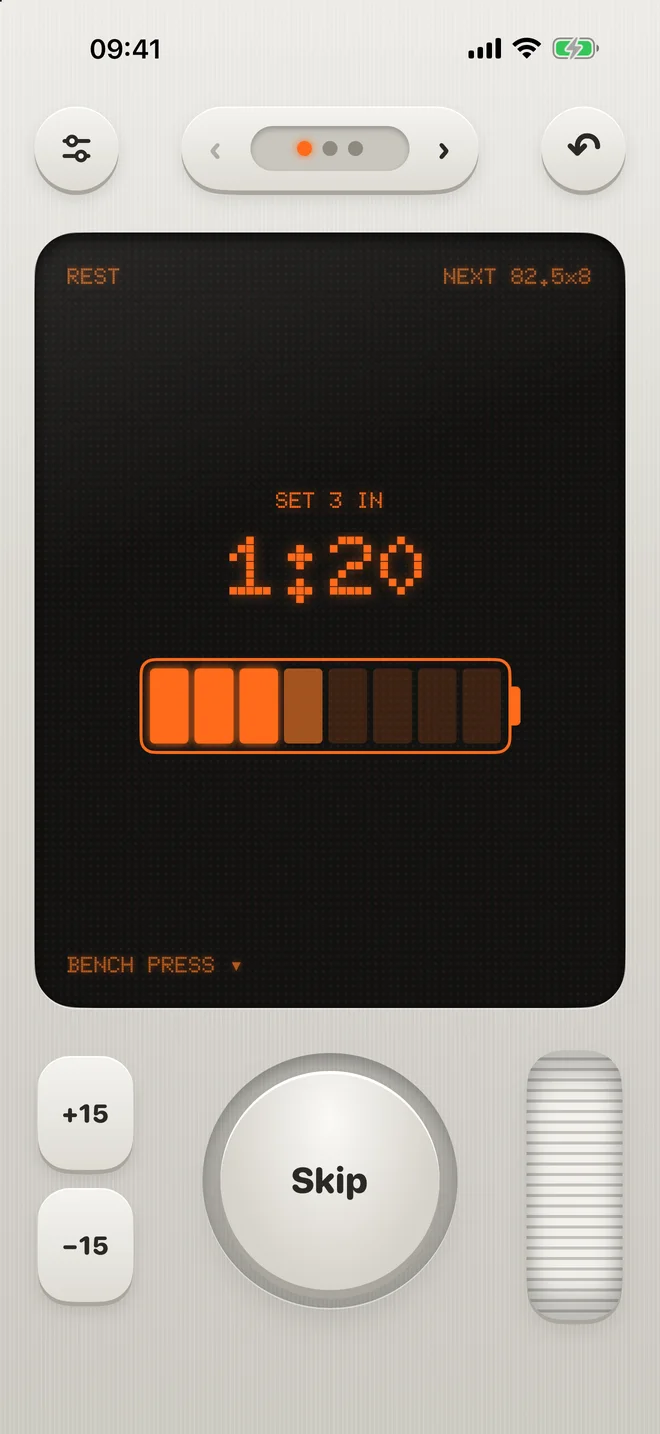
Rest
How Auto mode picks the weight
If you made every rep on every set last time, Trim adds the smallest step for that lift, like 2.5 kg on a barbell or 2 kg on dumbbells. If you didn't, it keeps the weight and asks for one more rep on the sets you missed. When a session goes clearly worse than the one before, it holds where you are. It never takes weight off, and you can always turn the wheel and log something else.
03Features
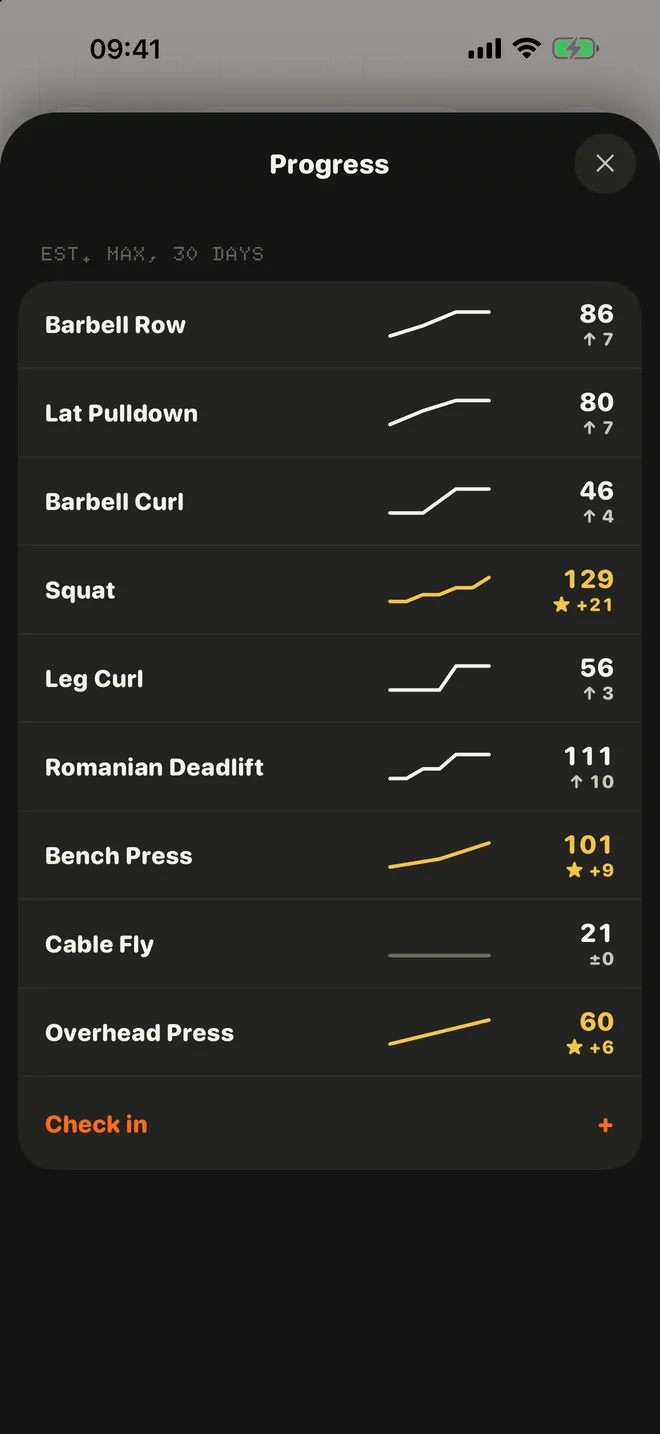
Progress shows the estimated max for every lift.
Thirty days at a glance, with records in gold. You can set a goal for any lift and pin up to three of them here.
03Features
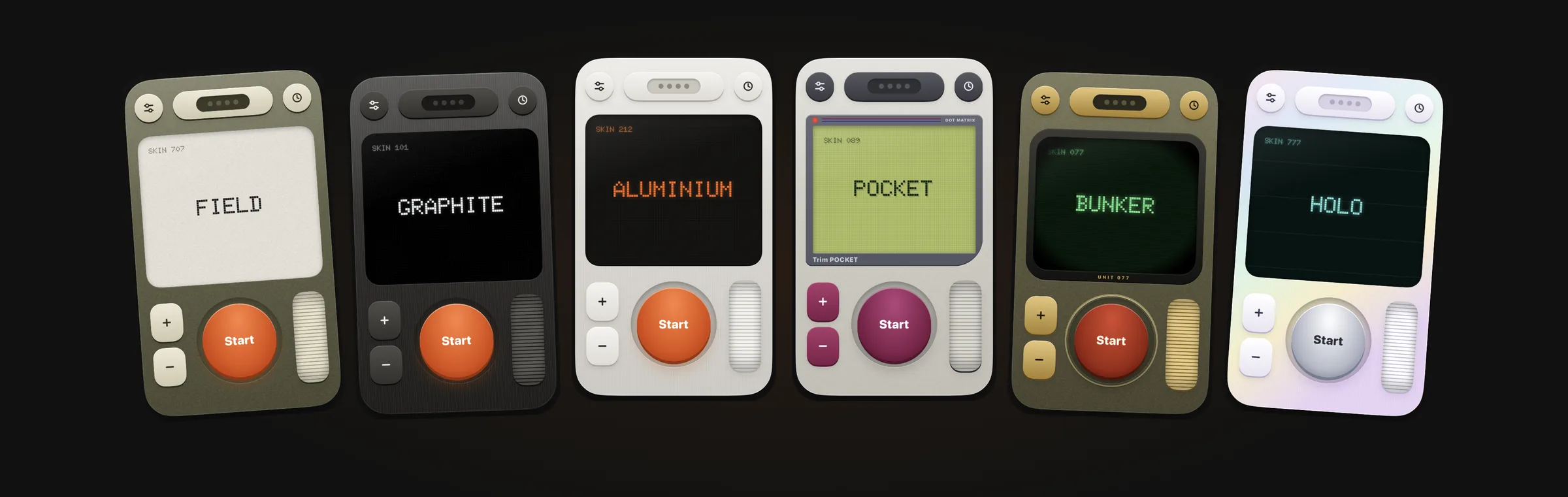
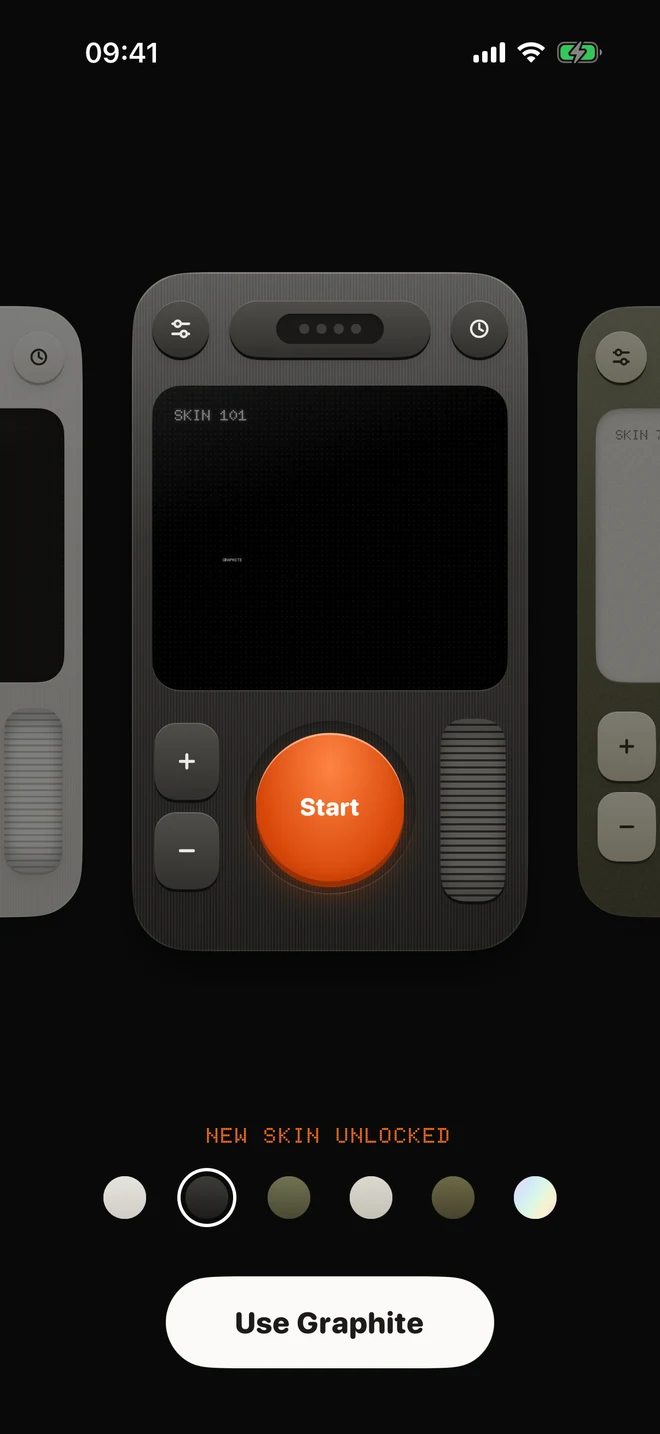
There are six machines to pick from.
Aluminium is the default, and Graphite unlocks when you finish the tour. The other four come with Trim Pro, together with Auto mode, more plans and longer progress.
04How it works
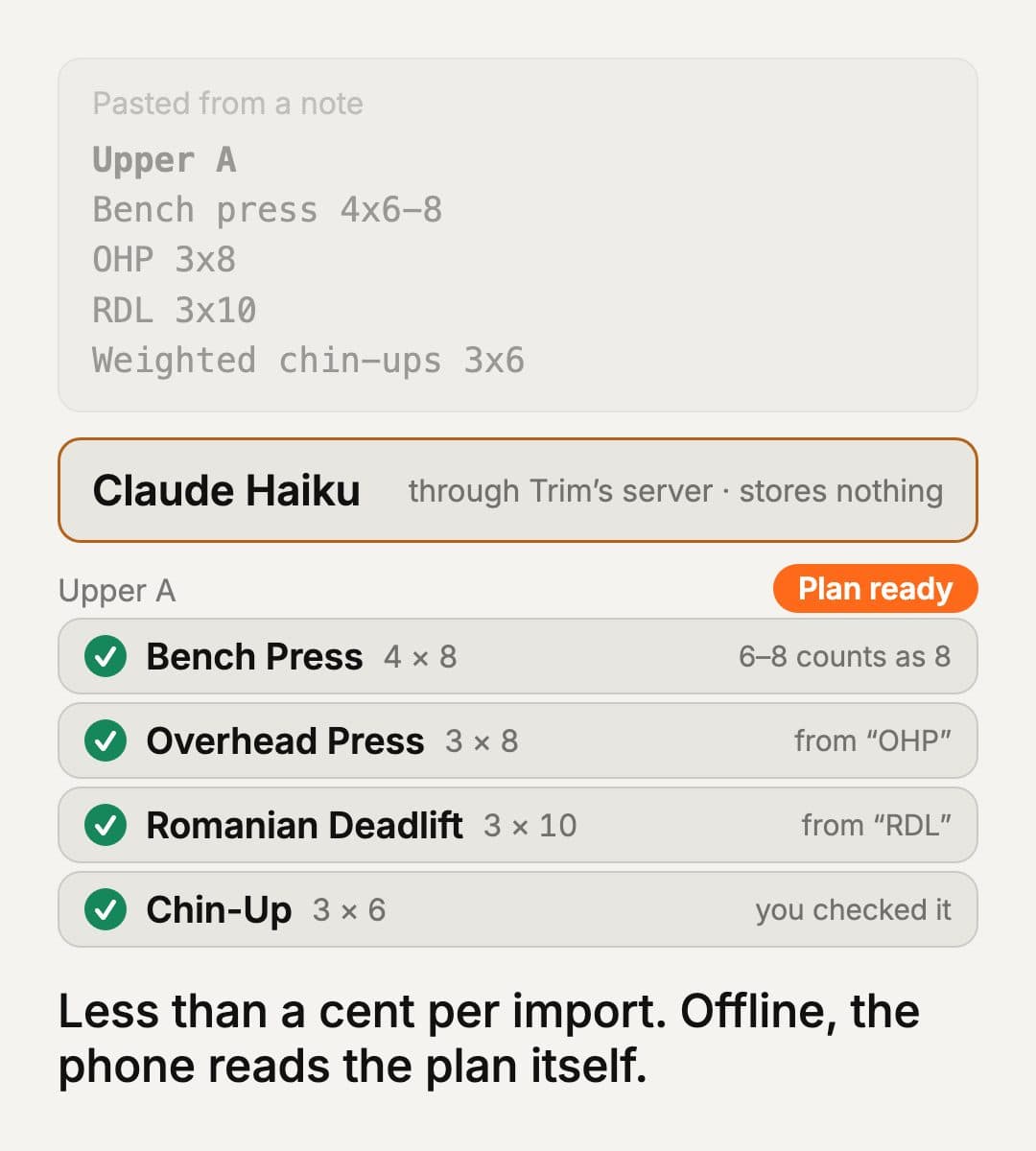
Paste the plan you already have, and Claude Haiku reads it.
From ChatGPT, a note from your coach, or screenshots of another app. Trim’s server hands it to Claude Haiku with Trim’s list of lifts, the phone matches every lift, and it only asks about the ones it isn’t sure of.
What leaves the phone, and what doesn’t
Your plans, workouts and records are stored on the iPhone. The one thing that goes out is a plan import, and only when you ask. The server stores nothing, and an import costs less than a cent. Offline, the phone reads the plan itself with Apple’s text recognition.
Changelog
Trim back in review, now readable on iPad
Apple rejected Trim 1.0 because parts were hard to read on an iPad - which honestly surprised me, since it's an iPhone app. Turns out iPads run it in a small iPhone-sized window, and there the tour drew the weight right over the exercise name. I fixed that and a few cramped onboarding screens, made the dim text easier to read, and added Trim Pro Lifetime as a one-time purchase. Version 1.0 is back in review.
Auto mode sets the weight and tells you why
Next-session targets were the best part of Trim Pro, but you couldn't really see them, and a changed weight could look like a bug. Now the set says AUTO when Trim picked it and shows where it came from. Tap it and Trim explains, like adding 2.5 kg because you made all your reps last time. Move the wheel and it switches to manual.
Trim 1.0 submitted for App Store review
I submitted Trim 1.0 to the App Store on 10 October 2026, with a yearly and a monthly Trim Pro subscription.
Rest is a battery charging toward the next set
The rest timer is now a battery that fills up toward your next set. Getting Graphite at the end of the tour is quicker too - the old skin falls away and the machines line up to swipe through. And there's no paywall at the end of onboarding anymore.
A guided tour walks you through your first practice set
New people had to find the basics on their own, so Trim now talks you through one practice set on its own display. It uses the first lifts of your plan and shows you the wheel, Log, rest, Undo and swapping. Nothing gets saved. At the end you get the Graphite skin.
Import the plan you already have
Most people already have a plan somewhere, in ChatGPT or Notes or another app. Now you can paste it or pick screenshots, and Claude Haiku turns it into a Trim plan. If a lift isn't clear, Trim flags it as a guess and lets you fix it instead of being too confident.
Stats after every workout, and a receipt only for a record
The receipt didn't look cool and nobody wants to share their whole workout. So the finish screen now shows your stats first, each lift against last time. The receipt only prints for a moment worth keeping, like a record or a goal reached, and it gets a stamp. History is now a log with those receipts in it.
Six machines to pick from in the Skin Library
Trim now comes as six different machines, each with its own body, keys and screen, from brushed aluminium with an amber display to a handheld with a pea-green LCD. Two are free and the rest come with Trim Pro. I call them skins now, and they live in the Skin Library in the menu.
Every lift gets its own dot-matrix animation
159 exercises now have a little looping dot-matrix figure in the exercise sheet, with the working muscles lit up. The picker shows it on every row too. I also found the lift name and the set hard to read while logging, so the name is bigger and each set has its own lamp.
Rest ends with an alarm, finer weight steps, and swaps mid-set
When rest hits zero your phone now beeps like a digital watch instead of tapping softly. Tap the weight to get a finer step for odd or decimal weights, and Trim remembers it per lift. You can also swap a lift halfway through from the exercise sheet. It only counts for today, and the receipt asks if the plan should keep it.
The machine assembles itself the first time you open Trim
On first open the machine flies in out of space and snaps together part by part, then the Start key slams home with a bang. You can tap to skip it. Picking how many days a week you train is now a wheel that clicks. Every key makes a sound, the haptics are stronger, and the app icon is the Start key.
Trim becomes a little machine
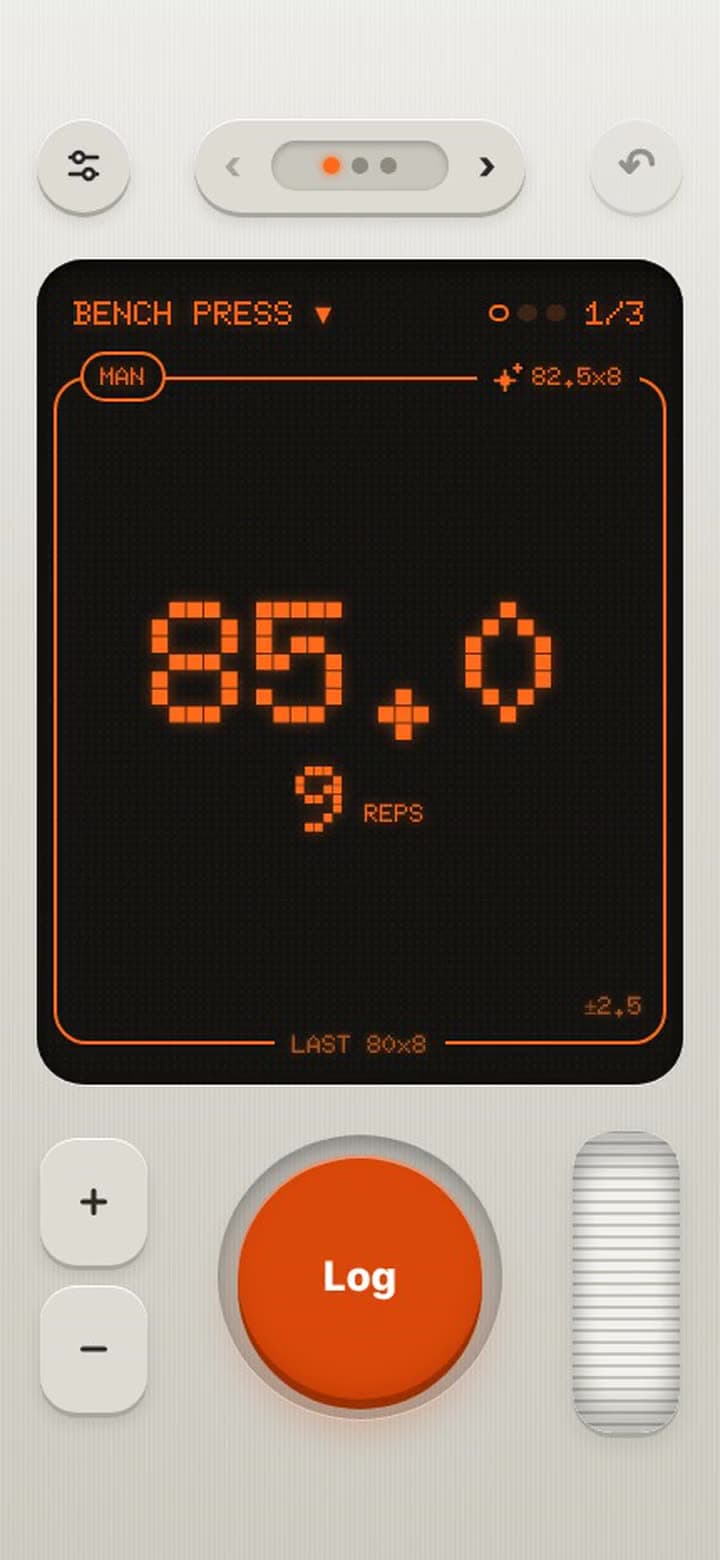
I realized the app looked like every other workout app, so I threw out the old screens. Trim is now one metal device with a dot-matrix display, keys, a wheel and a big round key, and the tab bar is gone. You load a plan like a cartridge, and a receipt prints out of a slot after a workout.
Set goals for your lifts and your body measurements
You can set a goal for any lift and pin up to three of them to Progress, each with its own track. Trim marks it as reached when a workout gets your estimated max there. Body measurements can have goals too, and Trim works out by itself if you want your waist to go down or your arms to go up.
A weekly streak counts full weeks in a row
A week counts as full when you hit your plan's number of days, and from two weeks up Home shows how many full weeks you have in a row. A week that's still going never breaks it. Doing Push twice because your legs need a break still counts as a workout. I left out flames and badges on purpose.
Trim 1.0 is rebuilt in Expo and on TestFlight
I rebuilt the app in Expo and gave it its name, Trim. It has plans, logging, History, Progress, a short onboarding and starter plans. Trim Pro is $39.99 a year with a 7-day trial, or $6.99 a month. The first build is on TestFlight.
Build a plan from a search screen, and add your own exercises
I rebuilt plan creation around its own exercise search, with a picture on every card. If a lift isn't in there you can create it yourself and pick its equipment, muscle and what it tracks, so you're no longer stuck with sets and reps. Creating and editing a plan now work the same way.
The first version logs workouts and shows the month as dots
Trim started as a SwiftUI app called ScratchWorkout. The dashboard got a monthly calendar with a dot on every day you trained, and a card pops up when you hit a personal record. While logging you can swipe between exercises, and swiping back works on the detail screens too.